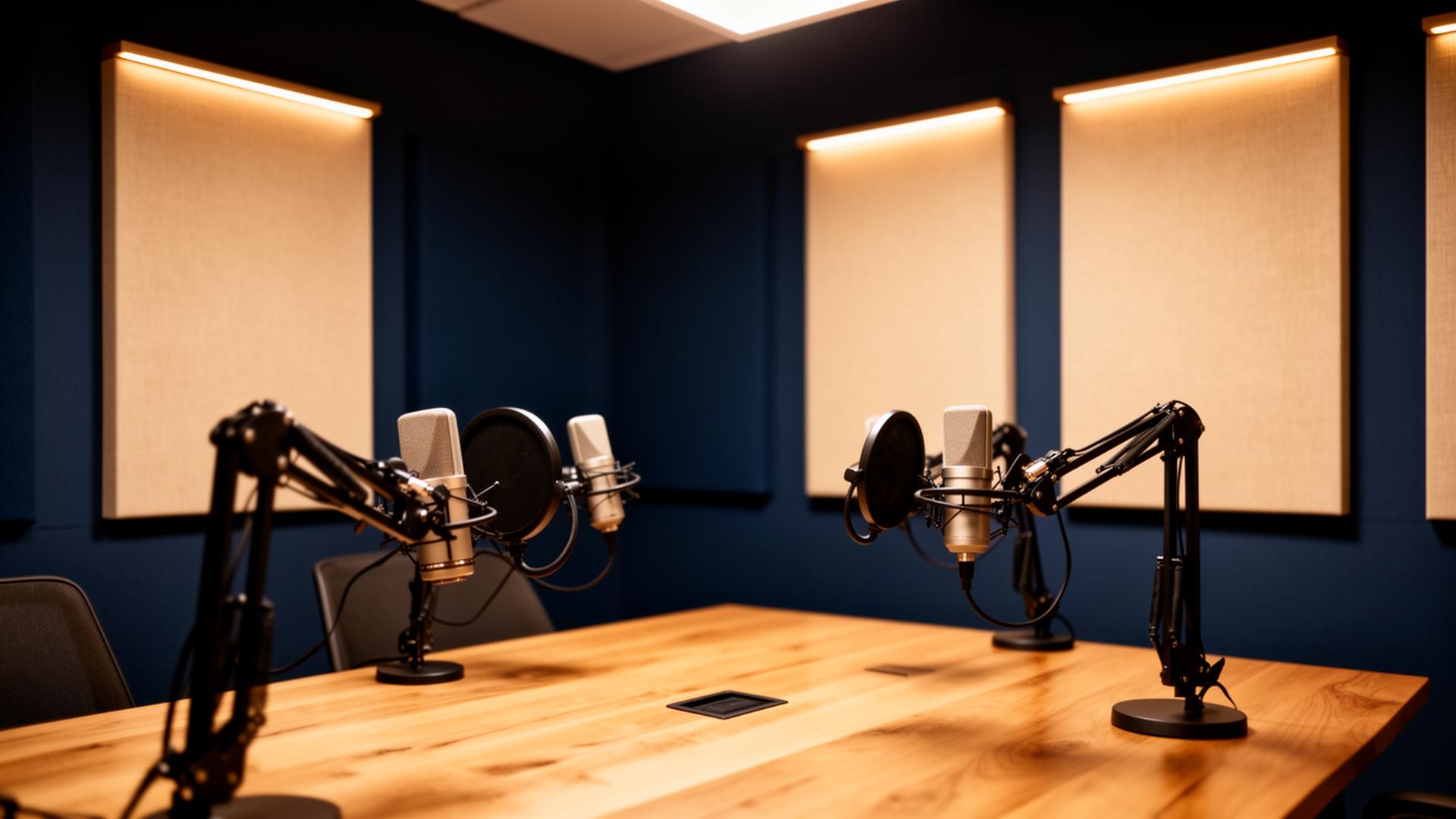
Corporate office setup vs. consumer home setup
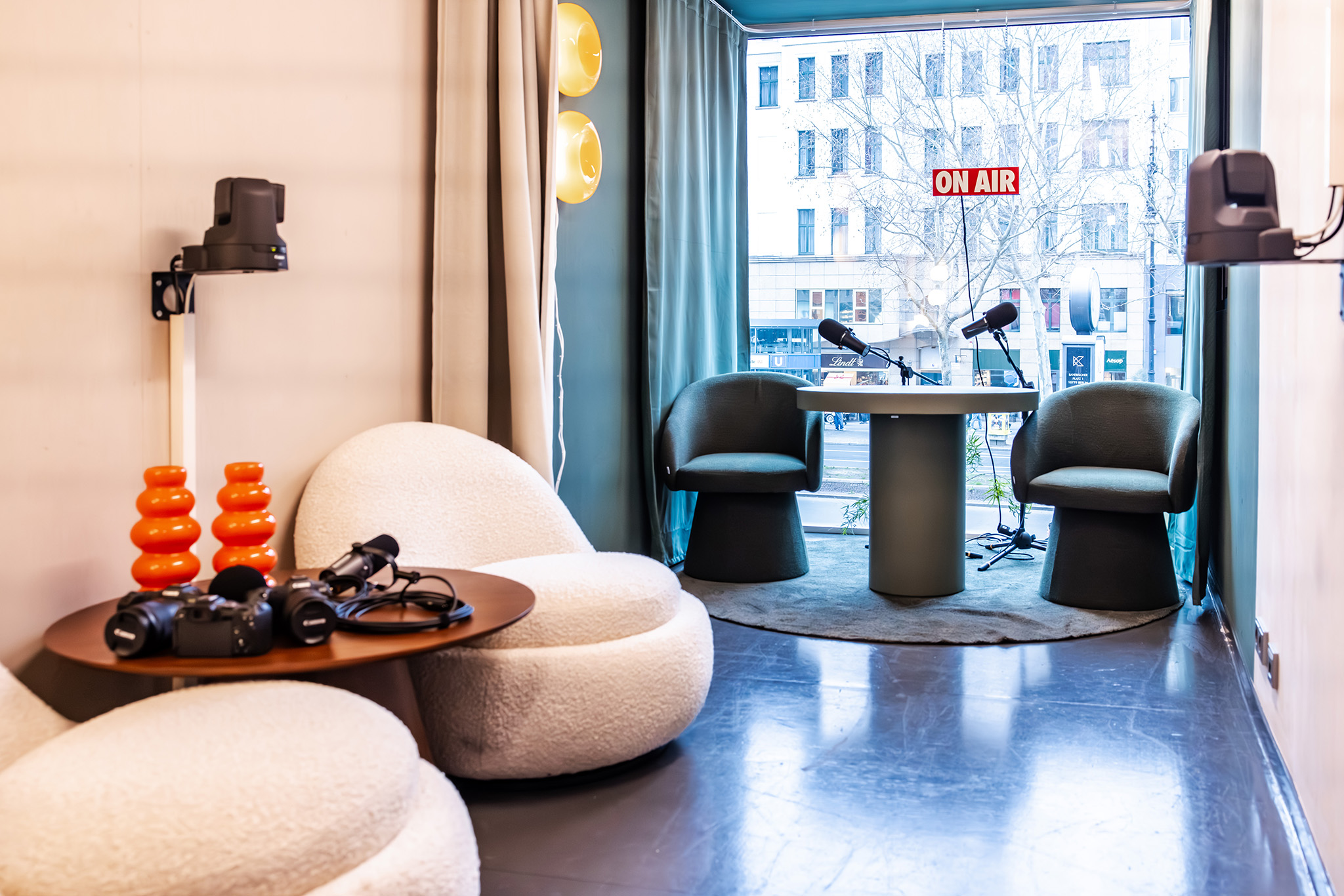
Most podcast lighting and background advice on the web is written for solo creators recording from a spare bedroom. A corporate studio has very different constraints:
- Multiple hosts and rotating guests. The room must look identical for every shoot, regardless of who is in front of the camera.
- Brand consistency. Colours, logo placement and on-camera wall treatments must match brand guidelines and survive a marketing review.
- Facilities & safety sign-off. Lights are mounted, not clamped to a desk. Cables are managed. Fire, electrical and accessibility rules apply.
- Repeatability. Anyone trained for 15 minutes should be able to switch the studio on and hit the same look — no "tweaking the key light until it feels right".
- Audio first, video second. Many corporate episodes will be consumed as audio. Acoustic treatment is non-negotiable even if you start without a camera. See our companion piece on the best corporate podcast microphones.
Podcast lighting setup: the three layers that matter
Professional video podcasts follow a simple, repeatable lighting recipe: key, fill and back. Add a background light when your backdrop has depth. Every other lighting decision is a variation on these four.
- Key light. The main light on the host's face, placed roughly 45° to the side and slightly above eye level. A soft 60–90 cm LED panel or softbox is ideal — hard light flatters almost no one.
- Fill light. A second, softer light on the opposite side at about half the intensity of the key. It lifts the shadow side of the face so hosts do not look interrogated. A bounce card can replace the fill for smaller setups.
- Back / hair light. Placed behind and above the host, aimed at the shoulders and back of the head. Separates the host from the background and stops everyone looking flat against the wall.
- Background light. A small accent or RGB light that adds colour, depth or a brand-coloured glow to the backdrop. This is the easiest way to lift a corporate studio above "meeting room with a microphone".
Colour temperature: lock it, do not mix it
The single most common corporate-studio mistake is mixing daylight from the window (~5600K) with warm office ceiling lights (~3000K). The result is a host whose face is half orange and half blue. Either:
- Block daylight with blackout blinds and light entirely with controlled LEDs, or
- Match every fixture to the same colour temperature — 5000–5600K for a clean, modern look; 3200–4000K for a warmer, broadcast-news feel. Pick one and write it into your studio standard.
Use bi-colour LEDs (adjustable 2700–6500K) with a CRI of 95 or higher. Cheap LEDs with low CRI make skin tones look ill on camera, regardless of how expensive your camera is. Speaking of cameras — pair this with our guide to the best cameras for a corporate studio for an end-to-end video setup.
Practical fixtures for a corporate studio
- Key + fill: Two 60×60 cm soft LED panels (e.g. Aputure Amaran P60c, Godox SL150 with softbox, Nanlite Forza 60B with parabolic softbox).
- Hair / back: A small COB LED (Aputure Amaran 100x, Nanlite Forza 60) on a boom arm.
- Background accent: One or two RGB tube lights (Aputure MT Pro, Nanlite PavoTube II) — set to a brand colour at 10–20% intensity.
- Mounts: Wall-mounted or ceiling-rail systems instead of floor stands. Facilities teams will thank you. Cables routed through cable trays, not gaffer-taped to the carpet.
Podcast background ideas for a corporate studio
Backgrounds are where corporate studios most often go wrong — either a beige meeting-room wall, a cluttered "authentic office" with people walking past, or a gimmicky neon set that ages badly. A few directions that hold up over years of episodes:
- Painted feature wall in a brand neutral. Matte paint (dark navy, charcoal, off-black, deep green) avoids reflections, makes hosts pop, and works for every season of branding.
- Acoustic panel wall in brand colours. Felt or fabric acoustic panels arranged in a geometric pattern — solves background and acoustic treatment in one decision. This is the most popular look for new corporate studios in 2026.
- Bookshelf or branded shelving. Curated, not cluttered. Books, awards and a small plant. Avoid anything that dates the studio (specific products, dated awards).
- Discreet logo wall. Wordmark or monogram in a satin or matte finish — never glossy, which throws reflections under key lights. Keep the logo small enough that it does not dominate the frame.
- Architectural depth with RGB accent. A wall with a recess, wooden slats or a curved partition, lit from behind with a brand-coloured accent light. Adds depth without dating quickly.
- Real office, intentionally framed. If your culture story depends on showing the office, use a long focal length (50–85 mm) and a wide aperture to throw the background into a clean blur — never a busy in-focus open plan.
Whichever direction you pick, keep a minimum of 1.5–2 metres between the host and the background. This single rule does more for production value than any camera upgrade.
Backgrounds to avoid in a corporate studio
- White walls (blow out under key lights, look like a hospital).
- Glossy whiteboards, glass partitions and mirrors (uncontrollable reflections).
- Open-plan offices with movement behind the host.
- Generic stock virtual backgrounds — they read as "Zoom call", not "studio".
- Branded backdrops that lock you into one campaign or product name.
Acoustic treatment: the invisible half of a studio
A beautiful studio that sounds like a bathroom will fail. Treat the room before you spend on lights and cameras:
- Absorb first reflections. Mount acoustic panels on the walls to the left and right of the hosts, and on the wall behind the camera.
- Break up the back wall. A mix of absorbers and diffusers behind the host removes flutter echo without making the room sound dead.
- Soft floor. A thick rug under the desk kills floor reflections — concrete and polished wood are the enemies of clean audio.
- Ceiling treatment. One or two ceiling clouds above the hosts make a bigger difference than any plugin in post-production.
- Isolate HVAC noise. Schedule recordings when the building HVAC is on a quiet cycle, or have facilities reduce airflow to the room during shoots.
Framing the shot so lighting and background work together
Lighting and backgrounds only pay off if the camera frames them correctly. For corporate podcasts:
- Eye level, not laptop level. The lens should sit at the host's eye height — a tripod or wall mount, never a laptop webcam.
- Medium close-up. Frame from the mid-chest up. Tighter for solo monologues, slightly wider for two-person interviews.
- Background in the lower third of the frame. Most of the frame is the host; the backdrop is supporting cast, not the star.
- Lock the look. Take a reference photo of the final framing and lighting. Tape camera and light positions on the floor. Every future shoot starts by matching the reference.
For the full camera and lens shortlist, see our top-performing guide on setting up a corporate studio in your office with Canon.
Budget tiers: what a corporate studio actually costs
Real-world ranges for the lighting + background + acoustic layer (excluding microphones, cameras and platform):
- Starter (€3–6k). Three LED panels, one RGB tube, painted feature wall, four acoustic panels, rug. Suitable for a single host location.
- Professional (€10–20k). Mounted lighting rig, two RGB accents, full acoustic panel wall, ceiling clouds, cable management, control desk. The most common corporate spec.
- Broadcast (€40k+). Multi-camera rig, programmable lighting scenes, custom-built set, dedicated control room. Justified once you publish multiple shows a week.
Most teams will land in the professional tier — and many start by renting our Berlin podcast studio for a quarter to validate format and demand before they build their own.
Governance: keep the studio looking the same in two years
- Studio standard document. One PDF with the reference photo, light positions, camera settings, white balance and shot framing. Every host reads it before their first session.
- Trained operator on every shoot. Even with a "press one button" setup, a single trained producer prevents drift.
- Quarterly calibration. Re-shoot the reference frame every quarter. If it has drifted, reset.
- Lock the brand layer. Wall colour, logo treatment and accent colour are owned by brand, not by individual show hosts.
Frequently asked questions
What is the best lighting setup for a corporate podcast?
A three-point setup — soft key light at 45°, softer fill on the opposite side, and a hair/back light — using bi-colour LEDs at CRI 95+, all locked to the same colour temperature. Add a single RGB accent on the background to lift the look above a standard meeting room.
How do I choose a podcast background for a corporate brand?
Pick a permanent, on-brand backdrop — a painted feature wall, an acoustic panel wall in brand colours, or a discreet matte logo wall. Keep at least 1.5–2 metres between the host and the background, and avoid white walls, glossy surfaces and busy open-plan offices.
Do I need a dedicated room for a corporate podcast studio?
Yes, ideally. A shared meeting room can work for a pilot, but a dedicated room lets you mount lights, treat acoustics and keep a repeatable look — which is what separates a corporate studio from a consumer home setup.
How is a corporate podcast studio different from a home studio?
Corporate studios optimise for repeatability, brand consistency, multiple hosts and facilities sign-off. Home studios optimise for one creator's taste. That is why mounted lighting, acoustic walls and a documented studio standard matter more than any single piece of gear.
Your next steps
- Pick the room — windowless or fully blackout-capable is ideal.
- Decide the backdrop direction (painted, acoustic wall, shelving, logo).
- Specify three LED fixtures plus one RGB accent at CRI 95+.
- Treat the room acoustically before you film a single episode.
- Document the studio standard so every future shoot matches.