
Your Internal Podcast. Inside Microsoft Teams. Authenticated, Not Public.
Episodes reach your workforce in the channels they already have open, played through an authenticated feed rather than a public RSS link. Every listener signs in with your existing identity provider, and reach is reported back per audience group.
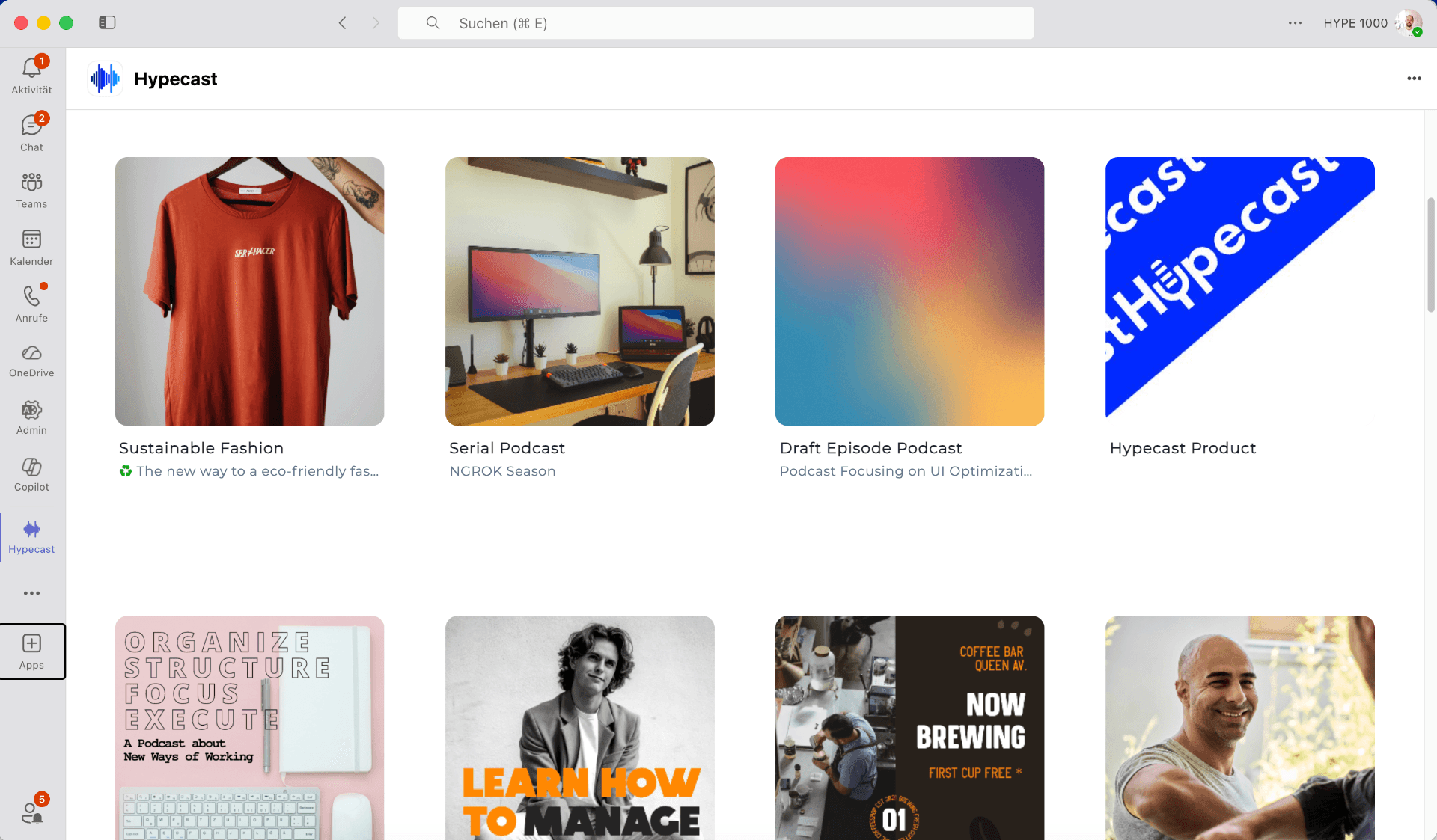
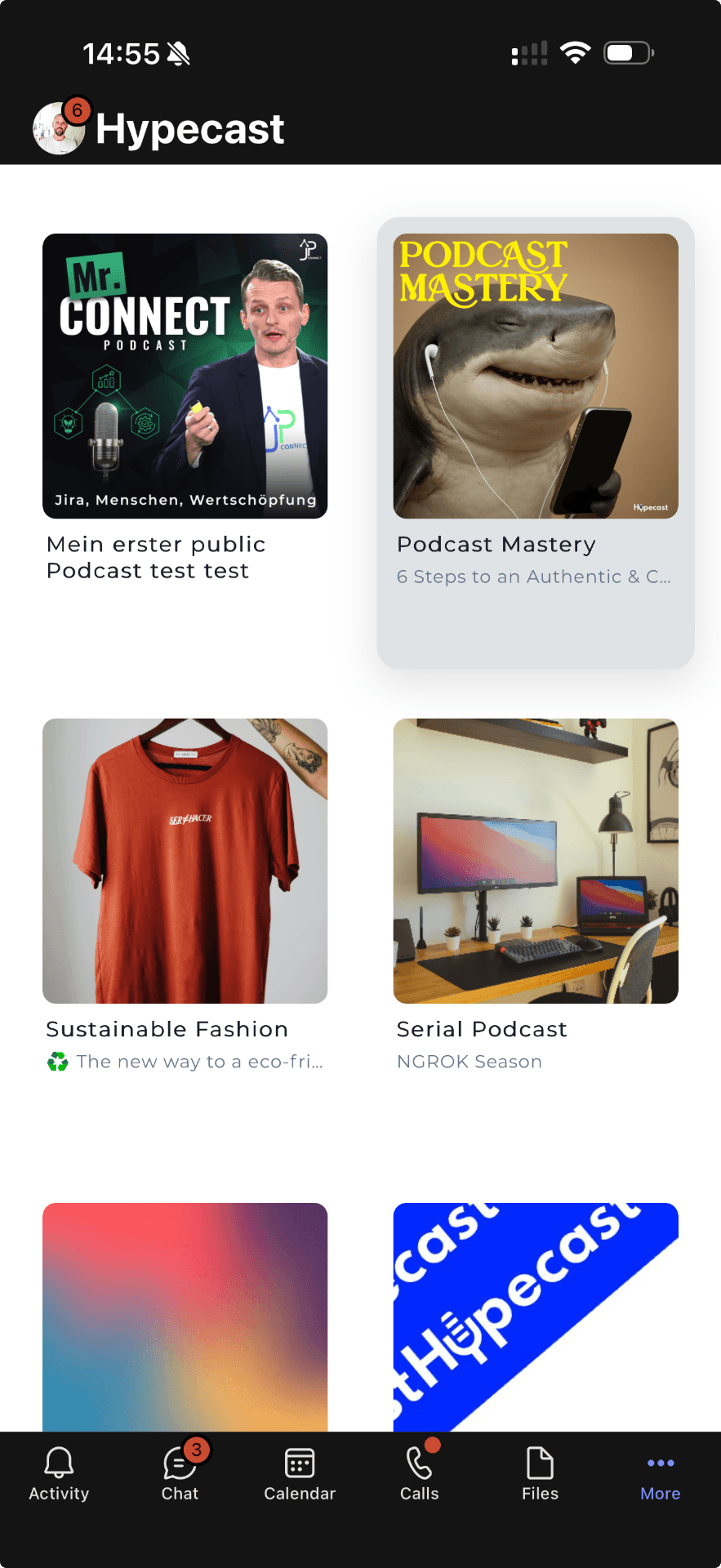
Can we distribute a podcast inside Microsoft Teams?
Yes. Hypecast publishes internal podcast episodes into the Microsoft Teams channels you choose, as an authenticated feed rather than a public RSS link. Listeners sign in with your existing identity provider, so access follows employment. Episodes also surface in Viva Engage and SharePoint, and listen-through is reported per audience group instead of anonymous download counts.
Why teams pick this integration.
Authenticated by default
Access is tied to your identity provider rather than to a shareable link, so a leaver loses access with their account. No public feed has to exist for the show to run.
Reach the channels people actually check
The leadership update lands in the company-wide channel, the enablement show in Sales, the safety briefing in Operations. Each episode targeted, none lost in an inbox. Roughly 80 percent of the global workforce is deskless, and Teams on a phone reaches them.
Listen-through, not delivery
Internal shows average a 78 percent listen-through rate (Hypecast platform data, measured across customer programmes after their first six months). You see where attention drops and which audience groups finish an episode, not just how often a file was fetched. Reporting stays aggregated, with no named-listener tracking.
How it works.
- 1
Your feed is authenticated, not public
Each show gets a private, authenticated feed inside your tenant. There is no public RSS URL to leak, and nothing appears in the open podcast directories unless you ask for it.
- 2
There is no public RSS to manage
Your Microsoft 365 admin approves the Hypecast app once, and you choose which Teams channels each show publishes to. Distribution is a permission, not a link you paste.
- 3
Listeners sign in with SSO
Employees are recognised through single sign-on, so they press play without a second password. Single sign-on and SAML are supported, and access, roles and reporting all follow the same identity.
Use cases.
In the Teams app
The episode appears as a post in the channel you chose, with a player that runs inside Teams on desktop and on the mobile app.
As a Viva Engage post
The same episode can be posted to a Viva Engage community, where the conversation happens in the thread beneath it.
Embedded in SharePoint
A player embedded on an intranet page or a campaign site, so a show sits next to the written content it belongs to.
How do the three options differ?
Teams alone, a hosting tool with an RSS feed, and Hypecast solve different parts of the problem.
| Criterion | Teams native audio | Hosting tool RSS | Hypecast |
|---|---|---|---|
| Episode feed and archive | Files and recordings, no episode feed | Yes, as a public or link-shared feed | Yes, an authenticated feed per show |
| Public RSS required | No feed at all | Yes, or a shareable secret link | No |
| Listener authentication | Tenant membership only | None; whoever holds the link can listen | Single sign-on per listener |
| Publishing workflow and approvals | Manual posting | Upload and publish | Multi-stage approval and audit trail |
| Analytics | Views on a file | Downloads, anonymous | Listen-through per episode and audience group |
| Governance across business units | Channel permissions | One account, one show list | Separate workspaces with delegated roles |
| Security documentation | Covered by your Microsoft agreement | Rarely published | ISO 27001 certified, GDPR, DPA, data stored in Germany |
Single sign-on and SAML through your existing identity provider, role-based access and an audit trail on every publication. ISO 27001 certified and GDPR compliant, with data processing agreements available for procurement. All customer data is stored in Germany and processed within the EU, and another location can be selected where a customer requires it. Approved by IT teams at European enterprises including E.ON, DHL, Samsung and Munich Airport.
Used by Companies worldwide





%20--%3e%3csvg%20version='1.1'%20id='Neu_1'%20x='0px'%20y='0px'%20viewBox='0%200%201700.9999%20364.99998'%20xml:space='preserve'%20width='1701'%20height='365'%20xmlns='http://www.w3.org/2000/svg'%20xmlns:svg='http://www.w3.org/2000/svg'%3e%3cdefs%20id='defs1'%20/%3e%3cstyle%20type='text/css'%20id='style1'%3e%20.st0{fill:%23CC0000;}%20%3c/style%3e%3cpath%20id='Wortmarke_pos'%20d='m%201185,304%20h%2073%20l%20-52,-90%20c%2029,-12%2045,-36%2045,-66%200,-46%20-30,-76%20-90,-76%20h%20-115%20v%20232%20h%2063%20v%20-81%20h%2032%20z%20m%202,-156%20c%200,16%20-11,28%20-35,28%20h%20-44%20v%20-56%20h%2044%20c%2024,0%2035,12%2035,28%20z%20M%20933,137%20v%2074%20c%200,34%20-16,45%20-38,45%20-21,0%20-38,-12%20-38,-45%20v%20-75%20h%20-64%20v%2078%20c%200,61%2034,95%20103,95%2069,0%20102,-34%20102,-94%20V%20137%20Z%20M%20857,116%20V%2072%20h%20-64%20v%2044%20z%20m%2076,0%20h%2064%20V%2072%20H%20933%20Z%20M%20527,226%20494,72%20h%20-64%20l%2059,232%20h%2068%20l%2040,-152%2040,152%20h%2068%20L%20764,72%20H%20700%20L%20667,226%20627,72%20h%20-60%20z%20m%201109,-71%20h%20-78%20V%2072%20h%20-64%20v%20232%20h%2064%20v%20-97%20h%2078%20v%2097%20h%2065%20V%2072%20h%20-65%20z%20m%20-302,-32%20v%20182%20h%2064%20V%20123%20h%2060%20V%2072%20h%20-184%20v%2051%20z'%20style='stroke-width:10'%20/%3e%3cpath%20class='st0'%20d='M%20333,143%20H%200%20V%200%20h%20139%20v%2056%20h%2056%20V%200%20H%20334%20V%20143%20Z%20M%20194,309%20v%2056%20c%2080,-15%20139,-84%20139,-162%20v%20-3%20H%200%20v%203%20c%200,77%2059,146%20139,161%20v%20-56%20h%2055%20z'%20id='path1'%20style='stroke-width:10'%20/%3e%3c/svg%3e)




Other Hypecast integrations.
All integrationsFrequently asked questions.
Let Us Show You The FeedInside Your OwnTeams Tenant.
Twenty minutes with your Microsoft 365, identity and reporting requirements on the table.