
Your Internal Podcast. On The SharePoint Intranet. Without Public MP3 Links.
Episodes sit on the intranet pages your colleagues already read, played through an embedded player or an authenticated feed rather than a file link. Listeners are recognised through single sign-on, and reach is reported per audience group rather than per person.
Can we publish a podcast on our SharePoint intranet?
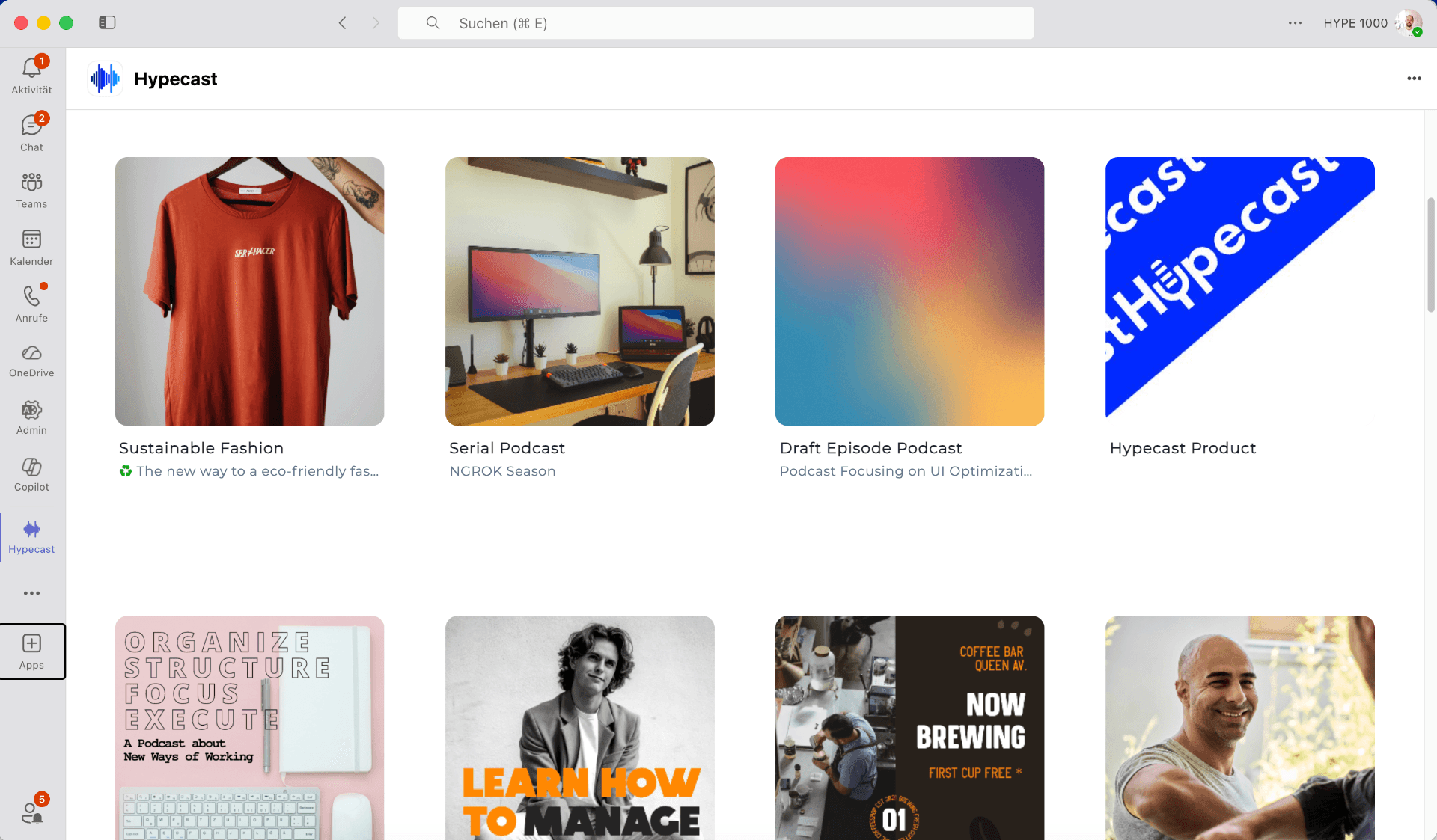
Yes. A show can reach SharePoint in three ways: an embedded Hypecast player on an intranet page, an authenticated feed listeners subscribe to, or a link from a news post into the show page. All three run on the same signed-in identity, so access follows employment rather than a shareable file URL, and listening is reported in aggregate for the audience groups you publish to.
Why teams pick this integration.
The intranet stays the front door
The episode sits next to the written article, the campaign page or the leadership update it belongs to, so people meet the show where they already look for company news.
Access follows the account
Listeners are recognised through single sign-on rather than through a link that can be forwarded. When an account ends, access ends with it, and no public RSS URL has to exist for the show to run.
Listen-through, not page views
Internal shows average a 78 percent listen-through rate (Hypecast platform data, measured across customer programmes after their first six months). You see where attention drops across an episode, not only that a page was opened. Reporting stays aggregated, with no named-listener tracking.
How it works.
- 1
Embed the player on a page
An editor places a Hypecast player on any intranet page: the latest episode on the news homepage, the full archive on a learning site, one leadership episode on a campaign page. Nothing is downloaded and nothing is stored as a loose file.
- 2
Or hand out an authenticated feed
For people who prefer to listen while commuting, each show also exists as a private, authenticated feed. It behaves like a normal podcast subscription, except the listener signs in and the feed is not listed in the open directories.
- 3
Or link out from a news post
A short news item can simply link to the show page, which is the fastest route when the intranet team wants no new components on the page. Access, reporting and archive stay the same in all three cases.
We already have SharePoint, why not upload MP3s?
For a single recording it works. Someone uploads the file to a document library, embeds it on a page, and colleagues press play. If your plan is one town-hall recording a year, that is the honest answer: you do not need anything else.
It breaks once the recording becomes a series. There is no episode feed, so every new episode is a manual page edit and nobody can subscribe. There is no mobile listening worth the name, because a file in a document library does not queue, resume or download for the commute. There is no aggregated analytics beyond a page view, so you cannot tell whether people finished the episode or left after ninety seconds. And there is no access model beyond the page itself: once someone has the file URL, the audio has left your permission structure.
The three paths above solve exactly those four gaps while leaving SharePoint as the place people go. The intranet keeps its role, and the audio gets a feed, a player, an access model and reporting that a comms lead can take into a review.
Use cases.
News homepage
The newest episode embedded above the written summary, so the show is part of the weekly reading habit rather than a separate destination.
Learning and enablement site
The full archive on a learning site, grouped by topic, so an onboarding series stays available long after the launch week.
Business unit portals
Each unit embeds the shows that concern it, while governance and reporting stay separated by workspace.
How do the three options differ?
Uploading MP3s to SharePoint, a hosting tool with an RSS feed, and Hypecast solve different parts of the problem.
| Criterion | MP3 upload on SharePoint | Hosting tool RSS | Hypecast |
|---|---|---|---|
| Episode feed and archive | Files in a library, no feed | Yes, as a public or link-shared feed | Yes, an authenticated feed per show |
| Public RSS required | No feed at all | Yes, or a shareable secret link | No |
| Listener authentication | Page permissions only, the file URL travels | None; whoever holds the link can listen | Single sign-on per listener |
| Mobile listening | Plays in a browser, no queue or resume | Yes, in any podcast app | Yes, in the app or the authenticated feed |
| Publishing workflow | Manual page edit per episode | Upload and publish | Multi-stage approval and audit trail |
| Analytics | Page views | Downloads, anonymous | Listen-through per episode and audience group |
| Security documentation | Covered by your Microsoft agreement | Rarely published | ISO 27001 certified, GDPR, DPA, data stored in Germany |
Single sign-on and SAML through your existing identity provider, role-based access and an audit trail on every publication. ISO 27001 certified and GDPR compliant, with data processing agreements available for procurement. All customer data is stored in Germany and processed within the EU, and another location can be selected where a customer requires it.
Used by Companies worldwide





%20--%3e%3csvg%20version='1.1'%20id='Neu_1'%20x='0px'%20y='0px'%20viewBox='0%200%201700.9999%20364.99998'%20xml:space='preserve'%20width='1701'%20height='365'%20xmlns='http://www.w3.org/2000/svg'%20xmlns:svg='http://www.w3.org/2000/svg'%3e%3cdefs%20id='defs1'%20/%3e%3cstyle%20type='text/css'%20id='style1'%3e%20.st0{fill:%23CC0000;}%20%3c/style%3e%3cpath%20id='Wortmarke_pos'%20d='m%201185,304%20h%2073%20l%20-52,-90%20c%2029,-12%2045,-36%2045,-66%200,-46%20-30,-76%20-90,-76%20h%20-115%20v%20232%20h%2063%20v%20-81%20h%2032%20z%20m%202,-156%20c%200,16%20-11,28%20-35,28%20h%20-44%20v%20-56%20h%2044%20c%2024,0%2035,12%2035,28%20z%20M%20933,137%20v%2074%20c%200,34%20-16,45%20-38,45%20-21,0%20-38,-12%20-38,-45%20v%20-75%20h%20-64%20v%2078%20c%200,61%2034,95%20103,95%2069,0%20102,-34%20102,-94%20V%20137%20Z%20M%20857,116%20V%2072%20h%20-64%20v%2044%20z%20m%2076,0%20h%2064%20V%2072%20H%20933%20Z%20M%20527,226%20494,72%20h%20-64%20l%2059,232%20h%2068%20l%2040,-152%2040,152%20h%2068%20L%20764,72%20H%20700%20L%20667,226%20627,72%20h%20-60%20z%20m%201109,-71%20h%20-78%20V%2072%20h%20-64%20v%20232%20h%2064%20v%20-97%20h%2078%20v%2097%20h%2065%20V%2072%20h%20-65%20z%20m%20-302,-32%20v%20182%20h%2064%20V%20123%20h%2060%20V%2072%20h%20-184%20v%2051%20z'%20style='stroke-width:10'%20/%3e%3cpath%20class='st0'%20d='M%20333,143%20H%200%20V%200%20h%20139%20v%2056%20h%2056%20V%200%20H%20334%20V%20143%20Z%20M%20194,309%20v%2056%20c%2080,-15%20139,-84%20139,-162%20v%20-3%20H%200%20v%203%20c%200,77%2059,146%20139,161%20v%20-56%20h%2055%20z'%20id='path1'%20style='stroke-width:10'%20/%3e%3c/svg%3e)




Other Hypecast integrations.
All integrationsFrequently asked questions.
Let Us Walk ThroughYour Intranet AndYour Requirements.
Twenty minutes on your SharePoint setup, your identity provider and what you need to report.